As part of the first major update to the Explorer’s Log, the following changes have been made:
Unique Records for NG+
Initially, all discoveries entered into the Explorer’s Log were saved all together with no regard for a new playthrough as part of NG+. That has been changed. As you “restart” your Starfield adventure, you can now save your discoveries to your specific playthrough by selecting it as you add data. Note that there are still a few quirk behind this behavior, especially if try to filter a specific data tab on a specific run and there is no data available to display (the dropdown at the top will default to All Playthroughs). This should be worked through by the next update.
New Data Points
Since the initial version, I’ve had some feedback of additional information that could be interesting to track. As a result, I’ve made a few additions.
Flora/Fauna
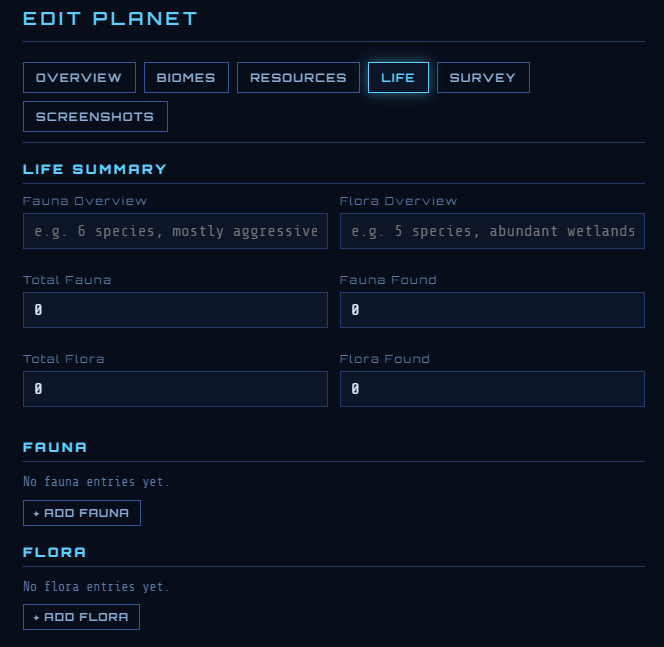
Initially, tracking flora and fauna was limited to just the number of each kind found on a planet. Now you can track the basic information usually visible when you have discovered 100% of a flora or fauna, including adding photos of your discoveries. For those that prefer to track only the basics, this information can still be tracked at the very top of the Life tab, as seen below.
Biomes
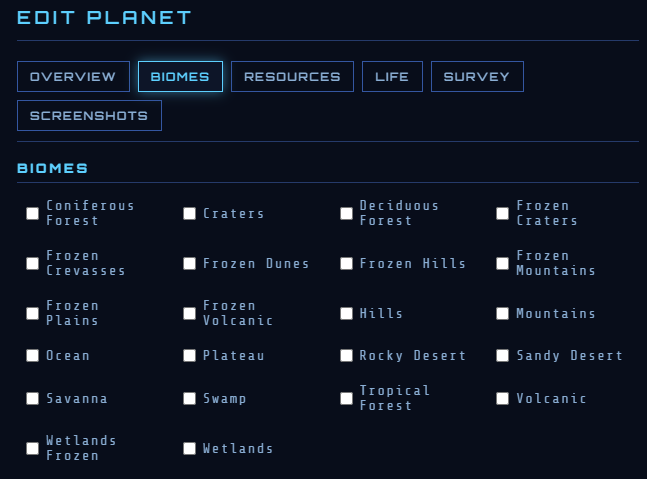
Biomes was initially tracked only by a dropdown. However, since a planet can have multiple biomes, I’ve added another tab in the Planet popup where you can check all the biomes you discover on a planet whether it’s none, one or many.
Tab Organizations
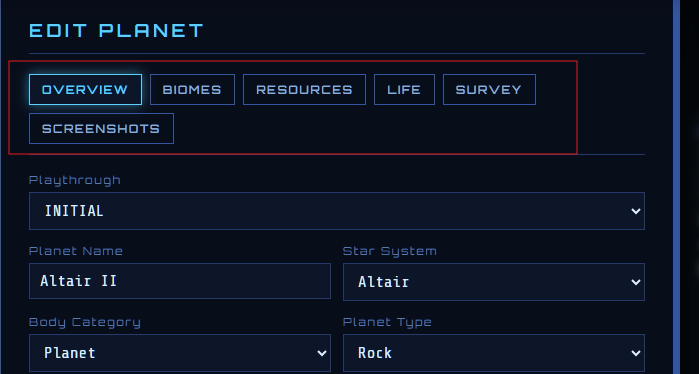
Initially, all data entered for a planet or a system was all in one big scrollable popup window. I’ve changed this behavior so that you can now click on tabs at the top of the window to go to the section you’d like to populate.